Legend Tab
The legend tab lets you configure a custom legend for the map legend menu. Legends for each layer can be toggled on or off. Users can select “No Legend”, “Default Legend”, or “Custom Legend”.
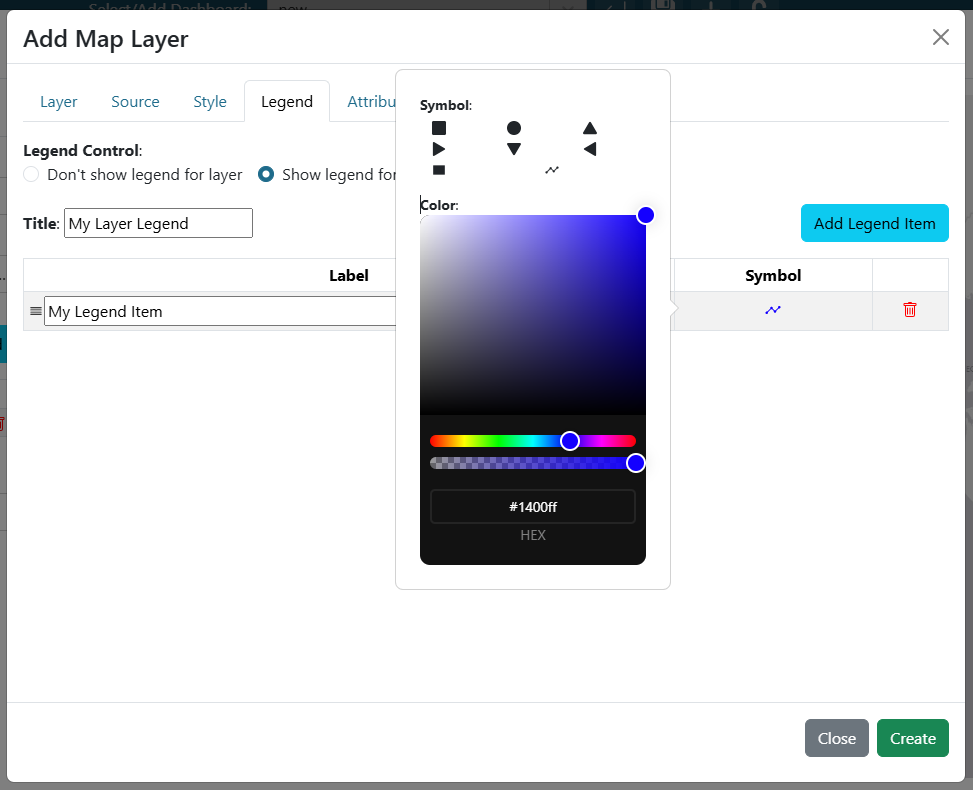
If a layer’s legend is set to “Custom Legend”, you must provide a legend title and at least one legend item. Add new items with the “Add Legend Item” button. Each item can be configured with a label and symbol.
To configure a symbol, click it in the table row. A popup will appear with additional symbols and color options.
If “Default Legend” is selected and the layer has a default legend, it will be displayed.